


Introduction
Frustrated by the dreaded "This content is not available in your region" message? You're not alone. Streaming services like Netflix, Disney+, HBO Max, and Amazon Prime Video offer different content libraries depending on your location,and you might be missing out on thousands of shows and movies.
The good news? With the right VPN, you can unlock the full potential of your streaming subscriptions and access content from anywhere in the world. In this guide, we'll show you how EdgeVPN makes streaming seamless, fast, and buffer-free.
Why Streaming Services Block Content
Before we dive into solutions, let's understand why geo-blocking exists in the first place.
Licensing Agreements
Studios and content creators sell distribution rights on a country-by-country basis. A show available on Netflix US might be licensed to a different platform in the UK, or not available at all in certain regions.
Regional Restrictions
Some content is produced specifically for certain markets and never gets international distribution rights.
Censorship Laws
In some countries, government regulations prevent streaming services from offering certain types of content.
The result? Your streaming library looks completely different depending on where you're located,even though you're paying the same subscription fee.
How a VPN Unlocks Streaming Content
When you connect to a VPN server in a specific country, streaming services see that server's location instead of your real one. This means:
- Connect to a US server to access the full Netflix US library
- Connect to a UK server to watch BBC iPlayer
- Connect to a Japanese server to stream exclusive anime content
- Connect to any of EdgeVPN's 70+ country locations to unlock content worldwide
The key is using a VPN that streaming services can't detect and block,which is where EdgeVPN excels.
What Makes EdgeVPN Perfect for Streaming
1. Lightning-Fast WireGuard Protocol
Speed is everything when streaming. EdgeVPN uses the WireGuard protocol, which provides:
- Minimal speed loss compared to your base connection
- Quick server connections so you start streaming faster
- Consistent performance even during peak hours
- 4K streaming capability without buffering
Traditional VPN protocols can slow your connection significantly. WireGuard maintains near-native speeds while keeping your connection secure and private.
2. Optimized Streaming Servers
Not all VPN servers are created equal for streaming. EdgeVPN maintains specialized servers optimized for popular streaming platforms:
- Netflix (US, UK, Canada, Japan, and more)
- Disney+
- HBO Max
- Amazon Prime Video
- Hulu
- BBC iPlayer
- ESPN+
- Peacock
These servers are regularly updated to ensure they work reliably with streaming platforms that actively try to block VPN traffic.
3. Unlimited Bandwidth
Many VPNs impose data caps that make streaming impossible. EdgeVPN provides unlimited bandwidth on all plans, so you can:
- Binge-watch entire seasons without worry
- Stream in 4K without hitting data limits
- Download movies for offline viewing
- Use multiple devices simultaneously
4. Global Server Network
With servers in over 70 countries, EdgeVPN gives you access to streaming content from around the world:
- US servers for the largest Netflix library, Hulu, and HBO Max
- UK servers for BBC iPlayer and UK Netflix exclusives
- Japanese servers for anime and Japanese Netflix content
- European servers for region-specific content
- Asian servers for K-dramas and Asian streaming platforms
How to Stream with EdgeVPN: Step-by-Step
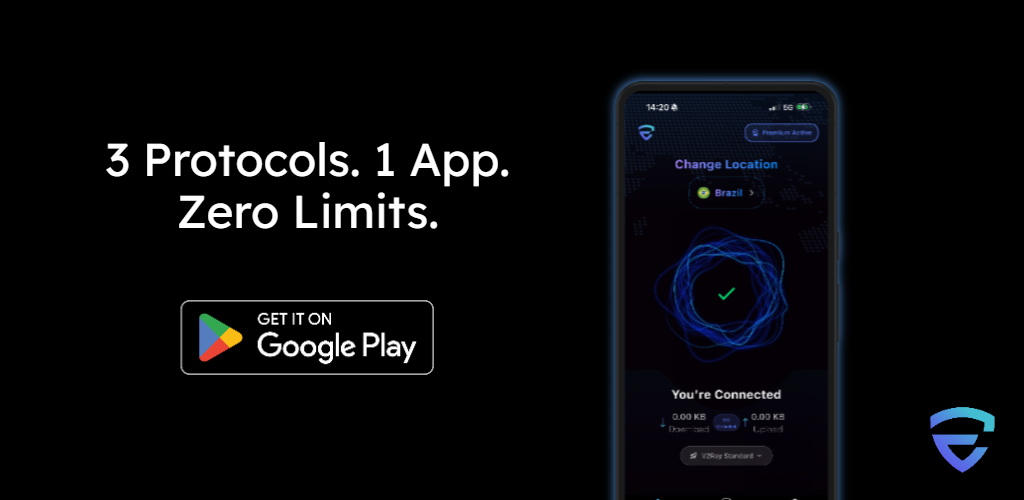
Step 1: Download and Install EdgeVPN
Available for all major platforms:
- iOS and Android for mobile streaming
- Windows and macOS for desktop streaming
- Smart TVs and streaming devices (via router installation)
Step 2: Choose Your Server Location
Open the EdgeVPN app and select a server in the country whose content you want to access. For example:
- US Netflix → Connect to a US server
- BBC iPlayer → Connect to a UK server
- Japanese anime → Connect to a Japanese server
EdgeVPN's app shows ping times and server load, so you can choose the fastest option.
Step 3: Connect and Start Streaming
Tap connect, wait a few seconds, then open your streaming app or website. The platform will now see you as browsing from your selected country.
Pro Tip: Clear Cookies
If you've recently visited a streaming site from your real location, clear your browser cookies or use private browsing mode for the best results.
Best Server Locations for Popular Streaming Services
Netflix
- United States - One of the largest content libraries
- Japan - Exclusive anime and Japanese films
- South Korea - K-dramas and Korean cinema
- United Kingdom - British shows and unique selections
- Canada - Good mix of US and international content
Disney+
- United States - Full Star Wars, Marvel, and Pixar catalog
- United Kingdom - Additional Star content not available in the US
- Australia - Star content plus regional exclusives
Amazon Prime Video
- United States - Largest library with exclusive Prime Originals
- United Kingdom - British content and Premier League football
- Germany - Bundesliga and German exclusives
HBO Max
- United States - Full HBO catalog including new releases
- Latin America - Available with different pricing and content
Hulu
- United States only - Connect to any US EdgeVPN server
Streaming on Multiple Devices
EdgeVPN supports simultaneous connections on multiple devices, so your entire household can stream different content at the same time:
- Smart TVs - Install EdgeVPN on your router to protect all devices
- Streaming sticks - Roku, Fire TV, Apple TV (via router)
- Gaming consoles - PlayStation, Xbox (via router or SmartDNS)
- Mobile devices - Direct app installation for iOS and Android
- Computers - Desktop apps for Windows, macOS, and Linux
Troubleshooting Common Streaming Issues
"VPN or Proxy Detected" Error
If you see this message:
- Try a different EdgeVPN server in the same country
- Clear your browser cookies and cache
- Disable browser location services
- Contact EdgeVPN support for recommended streaming servers
Buffering or Slow Speeds
To optimize streaming performance:
- Choose a server geographically closer to you
- Select a server with lower load percentage
- Close bandwidth-heavy applications
- Connect via ethernet instead of Wi-Fi when possible
- Ensure your base internet speed supports streaming (25+ Mbps for 4K)
Content Still Geo-Blocked
Make sure:
- You're connected to EdgeVPN before opening the streaming site
- You've cleared cookies from previous sessions
- Your device's GPS location is disabled (on mobile devices)
- You're using the EdgeVPN app, not manual VPN configurations
Legal and Ethical Considerations
Using a VPN to access streaming content is legal in most countries. However:
- Always comply with the streaming service's terms of service
- Maintain an active subscription to the platforms you access
- Be aware of local laws regarding VPN usage in your country
- Use streaming access responsibly and ethically
EdgeVPN is a privacy tool designed to protect your online activity. How you choose to use it should align with both legal requirements and ethical standards.
Conclusion
Geo-restrictions shouldn't limit your entertainment options. With EdgeVPN, you can access the full global catalog of streaming content you're already paying for,without buffering, without complicated setup, and without compromising your privacy.
Join over 158,000 users who stream smarter with EdgeVPN. Whether you're watching the latest Netflix release, catching up on BBC shows, or discovering international content, EdgeVPN makes it fast, easy, and secure.
Ready to unlock unlimited streaming? Download EdgeVPN today and experience true entertainment freedom.