


Introduction
Competitive gaming demands peak performance. Whether you're climbing ranked ladders, participating in esports, or simply enjoying your favorite multiplayer games, even a split-second delay can mean the difference between victory and defeat.
While VPNs are traditionally known for privacy and security, modern gaming VPNs like EdgeVPN also deliver tangible performance benefits. From reducing lag and preventing DDoS attacks to accessing region-locked content and bypassing ISP throttling, a gaming VPN has become an essential tool in every serious gamer's arsenal.
Why Gamers Need a VPN
1. Protection Against DDoS Attacks
In competitive gaming, DDoS (Distributed Denial of Service) attacks have become a common griefing tactic. Malicious players obtain your IP address through gaming platforms or voice chat and flood your connection with traffic, causing lag or disconnecting you entirely.
When you use EdgeVPN:
- Your real IP address remains hidden
- Attackers see only the VPN server's IP
- Even if they attack the VPN server, your personal connection stays protected
- You stay in the game without interruption
2. Bypass ISP Throttling
Many Internet Service Providers throttle bandwidth for gaming traffic, especially during peak hours. This results in:
- Increased latency and ping
- Packet loss during crucial moments
- Unstable connections that cause disconnects
EdgeVPN encrypts your gaming traffic, making it impossible for your ISP to identify and throttle it. This often results in more consistent performance and lower ping times.
3. Access Region-Locked Games and Content
Game releases, beta tests, and exclusive content often launch in specific regions first. With EdgeVPN's servers in over 70 countries, you can:
- Play games before they launch in your region
- Access region-exclusive skins, characters, or events
- Join servers in different regions to play with friends
- Purchase games at lower prices in different regional stores
4. Reduce Ping and Lag
While VPNs typically add a small amount of latency, they can actually reduce ping in certain scenarios:
- Poor routing - Sometimes your ISP routes traffic inefficiently. EdgeVPN can provide a more direct path to game servers
- Congested networks - During peak hours, VPN servers may have less congestion than your ISP's standard routes
- International connections - When playing on distant servers, EdgeVPN's optimized routing can improve stability
5. Play Safely on Public Networks
Gaming on public Wi-Fi at LAN parties, gaming cafes, or tournaments exposes your device to security risks. EdgeVPN encrypts your connection, protecting:
- Your gaming accounts and credentials
- Payment information in game stores
- Personal data from hackers on the same network
- Your IP address from other players
What Makes EdgeVPN Perfect for Gaming
Lightning-Fast WireGuard Protocol
Traditional VPN protocols like OpenVPN can add 50-100ms of latency,unacceptable for competitive gaming. EdgeVPN uses WireGuard, which:
- Adds only 5-15ms of latency in optimal conditions
- Uses more efficient encryption algorithms
- Maintains faster connection speeds
- Reconnects instantly if your connection drops
Global Low-Latency Server Network
EdgeVPN maintains gaming-optimized servers in major gaming regions:
- North America - US East, US West, and Canada for NA servers
- Europe - UK, Germany, France, Netherlands for EU servers
- Asia - Japan, Singapore, Hong Kong, South Korea for Asian servers
- Oceania - Australia for OCE servers
- South America - Brazil for SA servers
Each server location shows real-time ping, so you can choose the fastest option for your gaming session.
Stable, Unlimited Bandwidth
Gaming requires consistent, stable connections without data caps. Every EdgeVPN plan provides:
- Unlimited bandwidth for marathon gaming sessions
- Stable UDP connections for real-time multiplayer
- No throttling or speed limits
- Simultaneous connections for multiple devices
Best Games and Platforms to Use with EdgeVPN
Competitive Shooters
Call of Duty, Valorant, CS:GO, Apex Legends
- Protection against rage-induced DDoS attacks
- Bypass SBMM (Skill-Based Matchmaking) by region switching
- Access to different regional servers for easier lobbies
- Protection of your IP during tournaments
MOBAs and Strategy Games
League of Legends, Dota 2, StarCraft II
- Play on different regional servers (NA, EU, KR, etc.)
- Lower ping through optimized routing
- Protection against targeted DDoS in ranked games
- Access to region-exclusive events and content
Battle Royales
Fortnite, PUBG, Warzone
- Reduced packet loss during crucial gunfights
- Access to servers in different regions
- Protection from stream snipers who obtain your IP
- Bypass ISP throttling during peak hours
MMORPGs
World of Warcraft, Final Fantasy XIV, Elder Scrolls Online
- Connect to international servers to play with friends
- Access region-specific expansions or content releases
- Protect your account from targeted attacks
- Stable long-duration connections for raids
Console Gaming
PlayStation, Xbox, Nintendo Switch
- Configure EdgeVPN on your router for console protection
- Access different regional stores for exclusive content
- Reduce lag on cross-platform games
- Protect against DDoS attacks through console party chats
How to Set Up EdgeVPN for Gaming
For PC Gamers
- Download EdgeVPN for Windows, macOS, or Linux
- Launch the app before starting your game
- Select a gaming-optimized server closest to your game server location
- Check ping times in the server list (aim for under 50ms)
- Connect and launch your game
For Console Gamers
Since most consoles don't support VPN apps directly, you have two options:
Option 1: Router Installation
- Install EdgeVPN directly on your gaming router
- All devices connected to the router are automatically protected
- Best for protecting your entire gaming setup
Option 2: Share PC Connection
- Connect your PC to EdgeVPN
- Share the VPN connection via ethernet to your console
- Provides VPN protection without router configuration
EdgeVPN provides detailed guides for both methods.
For Mobile Gamers
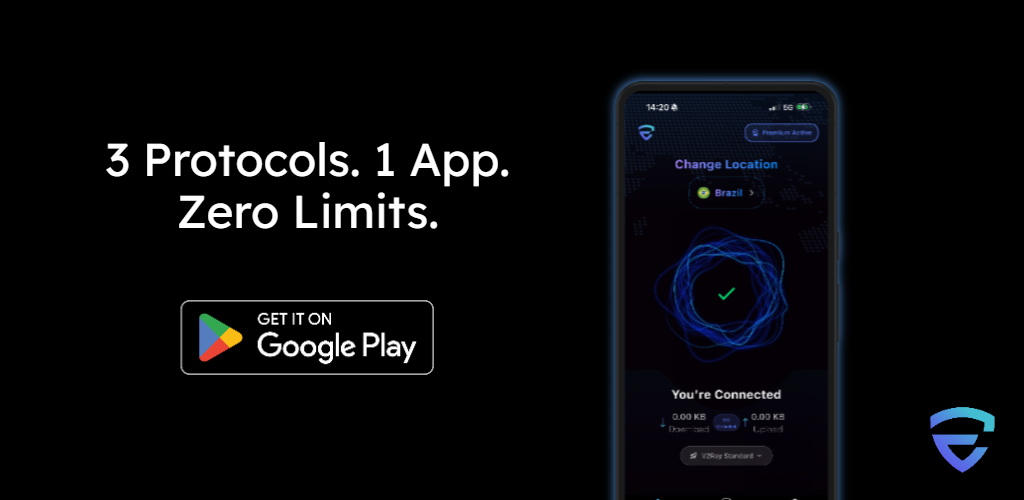
- Download EdgeVPN from the App Store or Google Play
- Connect to a nearby server for lowest ping
- Launch your mobile game (PUBG Mobile, Call of Duty Mobile, etc.)
- Enjoy protected, optimized gaming
Optimizing EdgeVPN for Best Gaming Performance
Choose the Right Server
- Playing on NA servers? Connect to US East or US West
- Playing on EU servers? Connect to UK, Germany, or Netherlands
- Playing on Asian servers? Connect to Singapore, Japan, or Hong Kong
- Playing on OCE servers? Connect to Australia
Always check the ping times displayed in EdgeVPN before connecting.
Use Wired Connections
Wi-Fi adds latency and instability. For the best gaming experience:
- Connect your PC/console via ethernet cable
- Use a wired connection from your router to the internet
- Reserve Wi-Fi for less latency-sensitive activities
Close Bandwidth-Heavy Applications
Before gaming sessions:
- Pause downloads and updates
- Close streaming services on other devices
- Disable automatic cloud backups
- Ensure no one else is streaming 4K content on your network
Use Split Tunneling (Advanced)
Some routers and VPN configurations support split tunneling, which lets you:
- Route gaming traffic through EdgeVPN for protection
- Route other traffic directly for maximum speed
- Optimize bandwidth allocation per application
Common Gaming VPN Myths Debunked
Myth 1: "VPNs Always Increase Lag"
While poorly optimized VPNs do add latency, modern protocols like WireGuard add minimal overhead. In fact, VPNs can reduce lag when:
- Your ISP has poor routing to game servers
- Your connection is being throttled
- You're experiencing network congestion
Myth 2: "VPNs Are Against Game Terms of Service"
Using a VPN is not inherently against most games' terms of service. However:
- Some games prohibit region switching for purchases
- Always follow the specific game's policies
- Use VPNs for privacy and protection, not to exploit regional pricing
Myth 3: "Only Competitive Players Need VPNs"
Whether you're a casual or hardcore gamer, VPNs provide:
- Protection against toxic players who threaten to DDoS
- Privacy when gaming on public networks
- Access to content in different regions
- Better performance on throttled connections
Troubleshooting Gaming Connection Issues
High Ping Despite Using VPN
- Switch to a server closer to the game server location
- Use wired ethernet instead of Wi-Fi
- Close bandwidth-heavy applications
- Check if your base internet connection has issues
Game Detecting VPN
Some games have VPN detection. Try:
- Using a different EdgeVPN server in the same region
- Contacting EdgeVPN support for gaming-optimized servers
- Ensuring your game doesn't prohibit VPN usage
Frequent Disconnections
- Enable EdgeVPN's auto-reconnect feature
- Switch to a more stable server
- Check your internet connection stability
- Update EdgeVPN to the latest version
Conclusion
Modern gaming is more than just skill,it's about having every advantage at your disposal. EdgeVPN gives you protection, performance, and access that elevate your gaming experience.
Whether you're protecting yourself from DDoS attacks, accessing global servers, bypassing ISP throttling, or securing your connection at LAN events, EdgeVPN provides the speed and reliability that gamers demand.
Join thousands of competitive gamers who trust EdgeVPN for lag-free, secure gaming. Download EdgeVPN today and take your gameplay to the next level.