


Introduction
You check into your hotel room, connect to the Wi-Fi, open EdgeVPN, hit connect,and nothing happens. The spinner just spins. This is one of the most common complaints from traveling VPN users, and it's rarely a problem with your VPN app itself. It's almost always a problem with how hotel networks are built and, in some cases, deliberately configured to interfere with VPN traffic.
The good news: once you understand what's actually blocking you, the fix usually takes under a minute. This guide walks through the real technical reasons VPNs fail on hotel Wi-Fi and exactly how EdgeVPN gets around each one.
Step One: Rule Out the Captive Portal
Before touching any VPN settings, check the simplest explanation first: most hotel networks use a captive portal,the login page that asks for your room number or asks you to accept terms before granting internet access.
Here's the problem: a captive portal can't load if your VPN is already trying to connect. The portal needs to intercept your first unencrypted HTTP request and redirect it to a login page. If your device establishes an encrypted VPN tunnel first, that redirect never happens, and you get stuck with a connection that looks "connected" to Wi-Fi but has zero actual internet access.
The fix:
- Turn off EdgeVPN (or any VPN) completely before joining the hotel Wi-Fi
- Connect to the hotel network normally
- Open a browser and confirm the captive portal login page appears
- Complete the login (room number, last name, "I agree" checkbox, etc.)
- Verify you can load a normal website without the VPN
- Only then, open EdgeVPN and connect
This single step resolves a surprising share of "my VPN won't connect at hotels" complaints, because the underlying issue was never the VPN,it was that the network hadn't actually granted internet access yet.
Why VPN Ports Get Blocked on Hotel Networks
Once you're past the captive portal and still can't connect, the next culprit is port blocking. Hotel networks are built on cheap, shared infrastructure and managed by IT vendors who prioritize bandwidth control over compatibility. Many networks restrict traffic to a narrow allowlist of ports, or actively block traffic patterns associated with VPNs, for a mix of reasons:
- Bandwidth management - VPN traffic is harder to shape and throttle by application, so some networks block it outright to protect shared bandwidth
- Liability concerns - Hotels don't want VPN tunnels used for content that could implicate their network
- Legacy firewall rules - Many hotel routers ship with default configurations that only allow common ports (80, 443) and block everything else
- Corporate policy - Chain hotels sometimes contract network management to third parties with blanket VPN-blocking policies
OpenVPN's Port Problem
OpenVPN traditionally runs on UDP port 1194, a port almost nobody except VPNs uses in practice. That makes it trivially easy for a hotel firewall to block: any traffic on 1194 gets dropped, no VPN traffic analysis required. OpenVPN can also run over TCP port 443 in some configurations, which helps, but many client configurations default to the UDP port, and even TCP OpenVPN has a recognizable handshake pattern that basic firewalls can flag.
WireGuard's Port Problem
WireGuard defaults to UDP port 51820. It's fast and modern, but it's just as easy to block as OpenVPN's UDP port,arguably easier, since UDP traffic on an uncommon port is an obvious target for any firewall doing basic port filtering. Some hotel networks block all UDP traffic outside of DNS (port 53) entirely, which kills WireGuard's default configuration immediately, even though the protocol itself has nothing wrong with it.
This is a structural issue, not a WireGuard flaw: WireGuard's efficiency comes partly from its simple UDP-based design, but that same simplicity makes it a clean target for a firewall rule that says "drop anything on port 51820" or "drop all non-DNS UDP."
Why V2Ray/TLS Camouflage Gets Through
This is where EdgeVPN's V2Ray protocol becomes genuinely useful rather than just an extra option. Instead of using a distinctive VPN port and packet signature, V2Ray wraps your traffic to look like ordinary encrypted web browsing.
Here's the technical difference that matters:
- Standard port - V2Ray traffic runs over TCP port 443, the exact same port used by every HTTPS website you visit. A hotel firewall that blocks port 443 would also break every secure website on the internet, including its own payment portal, so it's never blocked.
- TLS handshake - V2Ray establishes a real TLS handshake using standard certificates. To a firewall doing packet inspection, it looks structurally identical to opening your bank's website or checking email at outlook.com.
- WebSocket or gRPC transport - EdgeVPN's V2Ray implementation can carry traffic over WebSocket or HTTP/2-based transports, patterns that are indistinguishable from normal web app traffic (think: a chat app polling for updates, or a website streaming video).
- No fixed signature - Unlike OpenVPN or WireGuard, there's no telltale packet size, timing pattern, or port number that says "this is a VPN." A hotel router doing shallow packet filtering has nothing distinctive to match against.
In practice, this means that on a network aggressive enough to block WireGuard's UDP 51820 and OpenVPN's 1194, V2Ray traffic on port 443 typically sails through untouched, because blocking it would also break the hotel's own booking system, streaming devices, and half the internet.
If you want the deeper technical breakdown of exactly how this camouflage works at the packet level, see how TLS camouflage works.
Step-by-Step: Fixing VPN Issues on Hotel Wi-Fi
When EdgeVPN won't connect at a hotel, work through these steps in order:
1. Handle the captive portal first Disconnect the VPN, join Wi-Fi, complete the login page, confirm you have plain internet access, then reconnect the VPN.
2. Switch protocols before anything else Open EdgeVPN's protocol settings and switch from WireGuard to V2Ray. This single change resolves the majority of hotel connection failures, since it moves your traffic onto port 443 and disguises it as regular HTTPS.
3. Try OpenVPN over TCP as a fallback If V2Ray isn't available for some reason, EdgeVPN's OpenVPN-over-TCP option on port 443 is a reasonable second choice, though it's more identifiable than V2Ray to sophisticated inspection.
4. Switch to a different server Some individual server IPs get temporarily blacklisted by aggressive hotel firewalls or shared blocklists. Try connecting to a different EdgeVPN server location, even one geographically similar, before assuming the protocol itself is blocked.
5. Try cellular data as a diagnostic Turn off Wi-Fi and connect EdgeVPN over your phone's cellular data. If it connects instantly, you've confirmed the issue is the hotel network, not your account, app, or device,which tells you to focus on protocol switching rather than troubleshooting your phone.
6. Restart the app and device Basic, but effective: a stale DNS cache or a VPN client stuck in a bad handshake state can masquerade as a network block. A full restart clears both.
7. Check for a wired ethernet option If your room has an ethernet port, some hotels apply lighter restrictions to wired connections than to the Wi-Fi network, since ethernet is often used by business travelers on corporate VPNs that IT doesn't want to break.
Why This Keeps Happening at Hotels Specifically
Airports, cafes, and hotels share one trait: they're public networks operated by organizations with no incentive to make VPNs work well, and every incentive to control bandwidth and avoid liability. Hotel Wi-Fi in particular is often managed by third-party vendors serving hundreds of properties with identical, minimally-maintained firewall configurations, which means a block you hit at one hotel chain is likely to repeat at every property using the same vendor.
This is exactly why relying on a single protocol is risky for travel. A VPN that only offers WireGuard or OpenVPN will fail unpredictably depending on which hotel, which country, and which network vendor you happen to encounter. Having V2Ray as a fallback, camouflaged as ordinary HTTPS, is what makes the difference between "my VPN doesn't work half the time I travel" and "it just connects."
For a broader look at staying secure across different networks while traveling, see the travel VPN guide for staying secure abroad.
Preventing the Problem Before You Travel
A few minutes of setup before your trip saves frustration later:
- Set V2Ray as a saved fallback protocol in the EdgeVPN app so switching takes one tap instead of hunting through menus with unreliable hotel Wi-Fi
- Download server lists for offline access in case you need to pick a server before you have a working connection
- Test your app before leaving home so you know it's updated and your login works
- Check out EdgeVPN's WireGuard and V2Ray protocol pages to understand which to reach for in different situations
Conclusion
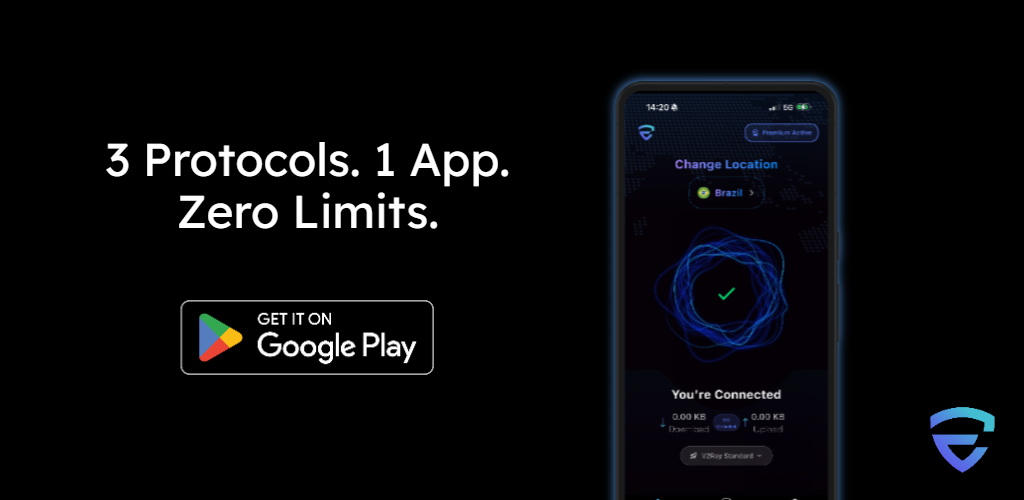
A VPN that won't connect on hotel Wi-Fi is almost never broken,it's being actively filtered by infrastructure that wasn't designed with VPN traffic in mind. Captive portals need to run before you connect, and outdated UDP-based ports like OpenVPN's 1194 and WireGuard's 51820 are easy targets for basic firewall rules. V2Ray's TLS camouflage on port 443 sidesteps the problem entirely by looking exactly like the HTTPS traffic every hotel network has to allow.
EdgeVPN gives you all three protocols in one app, so when one gets blocked, switching takes seconds, not a support ticket. Download EdgeVPN before your next trip, or check current pricing plans to get every protocol option included.